Eikino Studio · Media Intelligence & Motion
Video in. Video out.
Animate still portraits into video, pinpoint where a clip was filmed, inspect AI artifacts, or convert media locally in your browser.
01 · Inspect & Convert
Video In
Find where it was filmed, check if it is AI, and turn it into a GIF or an MP3.
 GPS + LANDMARK AI48.8584° N, 2.2945° E · ParisPhoto location finder
Find where a photo was taken, from GPS data or what is in it.
 FRAME GEOLOCATION00:0200:0740.43° N · Great WallVideo location finder
Find where a video was filmed, from its saved location or what is in it.
 C2PA + ARTIFACT SCANAI Likelihood · High 94%AI video detector
Check a video for signs it was made with AI.
 LOCAL · NO UPLOAD01.4s – 04.2s480px · 12 FPS · .GIFVideo to GIF
Turn any clip into a GIF, right in your browser.
 LOCAL · NO UPLOAD320 kbps · .MP3Video to MP3
Pull the audio out of a video as an MP3.
- LOCAL · NO UPLOAD00:0100:0400:08FULL RES · .PNG / .JPGExtract frames from video
Capture full-resolution PNG or JPG frames from any video locally.
- EXIF + VIDEO METAf/1.8 · ISO 100GPS · Strip EXIFEXIF & metadata viewer
Inspect photo EXIF and video metadata, and strip GPS tags in 1 click.
- LOCAL · NO UPLOADAUDIO TRACKMuted · Video OnlyRemove audio from video
Mute any video and export a silent clip locally in your browser.
02 · Generate Motion
Video Out
Animate old or still photos right here, or make music and meme videos with AI.
 IMAGE → VIDEO3s Free · 5s HDAnimate old photos
Bring old family portraits to life with a gentle smile, laugh or nod.
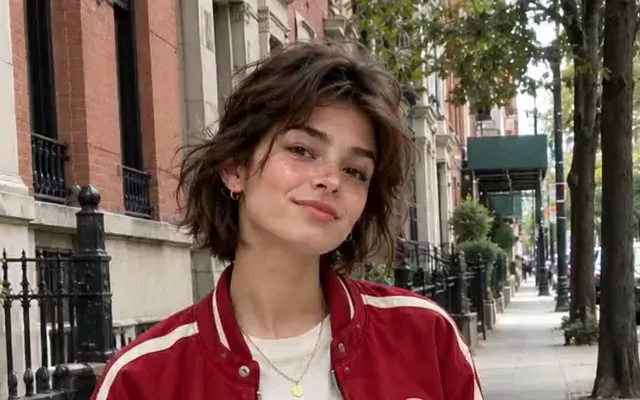 PHOTO → VIDEO3s Free · 5s HDPhoto to video
Turn any still photo, portrait or pet snapshot into a short moving clip.
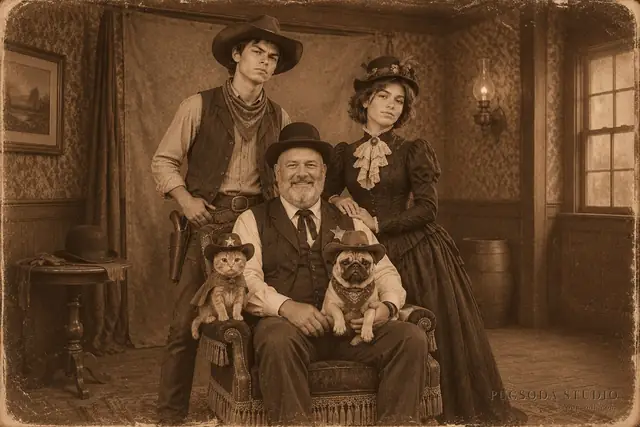 SELFIES → 7 SHOTS + VIDEOFree preview · +$1 videoPeriod & holiday photo studio
Put up to 20 family selfies into one 90s Christmas, 1920s or Old West set — 7 portraits + 7 moving clips.
 SONG → LYRIC & AI MVLyricsMove ↗Music video maker
Turn a song into a lyric video or an AI music video.
 PHOTO → VIRAL TRENDPugSoda ↗Meme video maker
Put yourself into this week’s viral video trends.
01 · LOCAL ENGINE
No upload where it is not needed
GIF, MP3 and GPS metadata reading run directly in your browser. Your source file never leaves your device.
02 · EPHEMERAL AI
Only resized stills for AI tasks
Location lookup, AI detection and photo animation process lightweight stills for that single run and keep nothing afterward.
03 · CLEAN EXPORTS
No account gate, no watermark
Open any tool and run it right away. Every GIF, MP3 and animated MP4 downloads clean without branding.
Questions
Is Eikino free?
All browser tools are free with no limits and no watermark. The AI location finder and AI video detector include 2 free checks a day, and the preset photo animator includes 2 free 3-second 480p animations a day with no account. For more checks or 5-second 720p HD custom-motion animations, one-time packs (no subscription, valid 365 days) are Starter $4.90 for 25 checks or Plus $9.90 for 80 checks.
Do you keep my videos or photos?
No. GIF, MP3 and reading a file’s saved location run in your browser and nothing is uploaded. The AI tools only send resized still images for that single task and wipe any temporary source copy as soon as your answer or clip is ready.
What is the difference between Video In and Video Out?
Video In is for media you already have: find where it was filmed, check if it is AI, or turn it into a GIF or MP3. Video Out makes a new video for you with AI — starting with animating old or still photos right here.